Lobby
Gather conversation context in Teams or chat before this agent takes ownership.
Platform
Unstructured input becomes a governed outcome. Role agents produce deliverables. Orchestrators delegate down the org chart. Specialists work in parallel, stay in sync, and report back until a human approves publish.
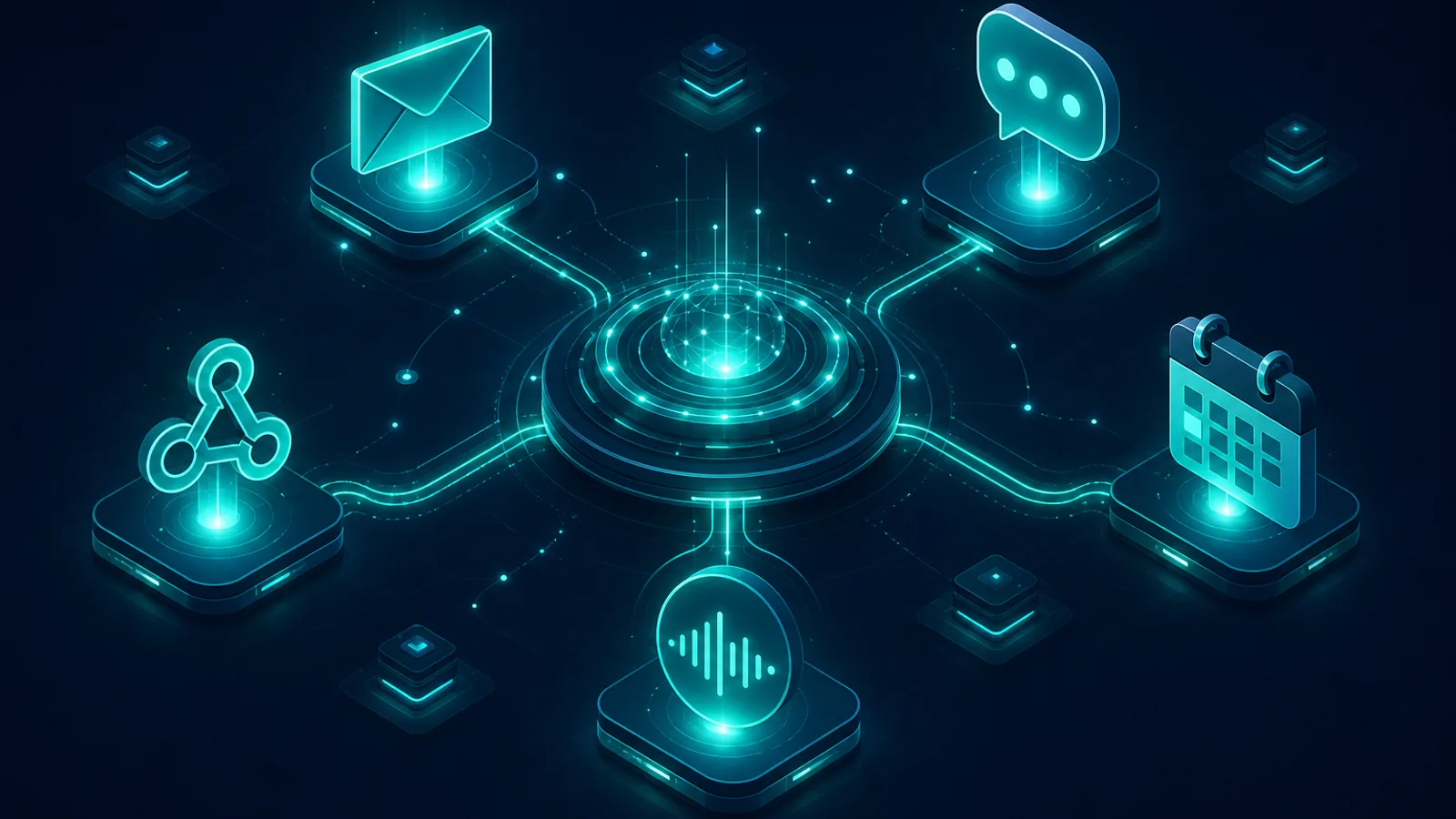
How it works
One operating model for any process your organisation runs.
Work arrives. An orchestrator assigns specialists. They work in parallel, stay in sync, and report back. You add stages only if that process needs them. Humans approve before anything publishes.
See how work flows →How it works
Work arrives from Teams, email, or a webhook. An orchestrator picks it up, assigns specialists, and they work in parallel. Results fold back to the parent. When the deliverables are ready, a human approves before anything publishes.
Agentic AI
Each agent is trained for a job: analyse input, draft a report, open a ticket, write code. They use scoped tools, reason through the work, and hand off a result worth reviewing.
Learn more →Chain of command
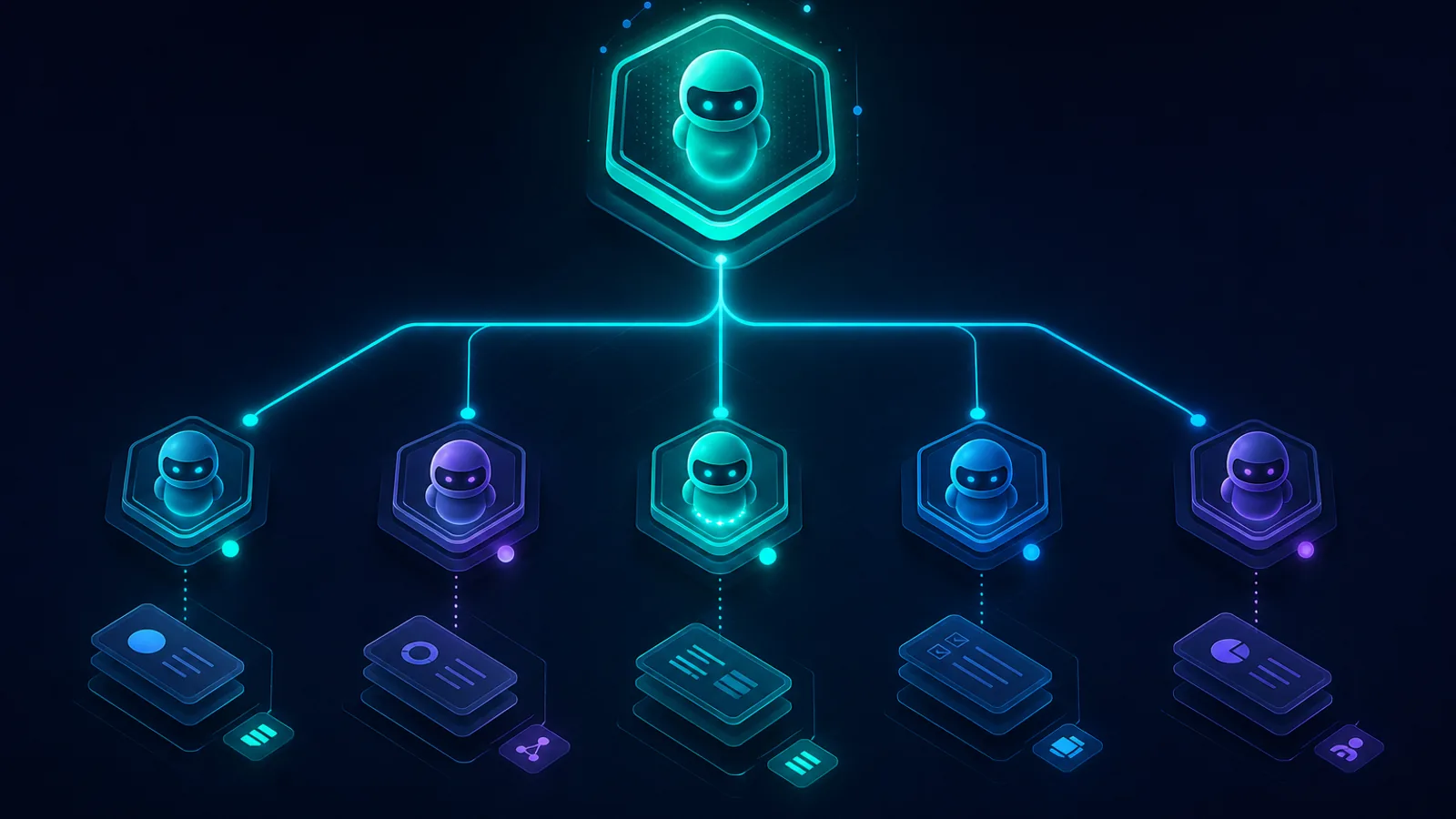
When intake arrives, an orchestrator triages it and delegates to direct reports. Specialists run in parallel. Stream owners and human reviewers sit where accountability matters.
Learn more →Synced missions
The mission tree shows who is working, who is waiting on whom, and what just folded back. Specialists report to the orchestrator. Humans sit at the gates that matter.
Learn more →On a typical run, the orchestrator assigns work while specialists produce deliverables at the same time. Status, handoffs, and fold-back stay visible. Stages are optional if a process needs extra structure.
Chain of command
When intake arrives, someone has to decide what happens next and who does it. Orchestrators sit at the top of the mission tree. They delegate to specialists with scoped tools. Human reviewers wait at the gates that matter.
Managers and specialists
Orchestrators coordinate. Direct reports execute. Work flows down the hierarchy without skipping a layer.
Parallel assignments
One orchestrator can delegate to several specialists at once. Each picks up its own work immediately.
Human accountability gates
Stream owners assign reviewers. Material outcomes route through accountable humans before publish.
Delegation in action
When an orchestrator delegates, specialists start at the same time. The mission tree shows who is working, who is waiting on reports, and how results fold back without skipping layers.
Optional governed stages
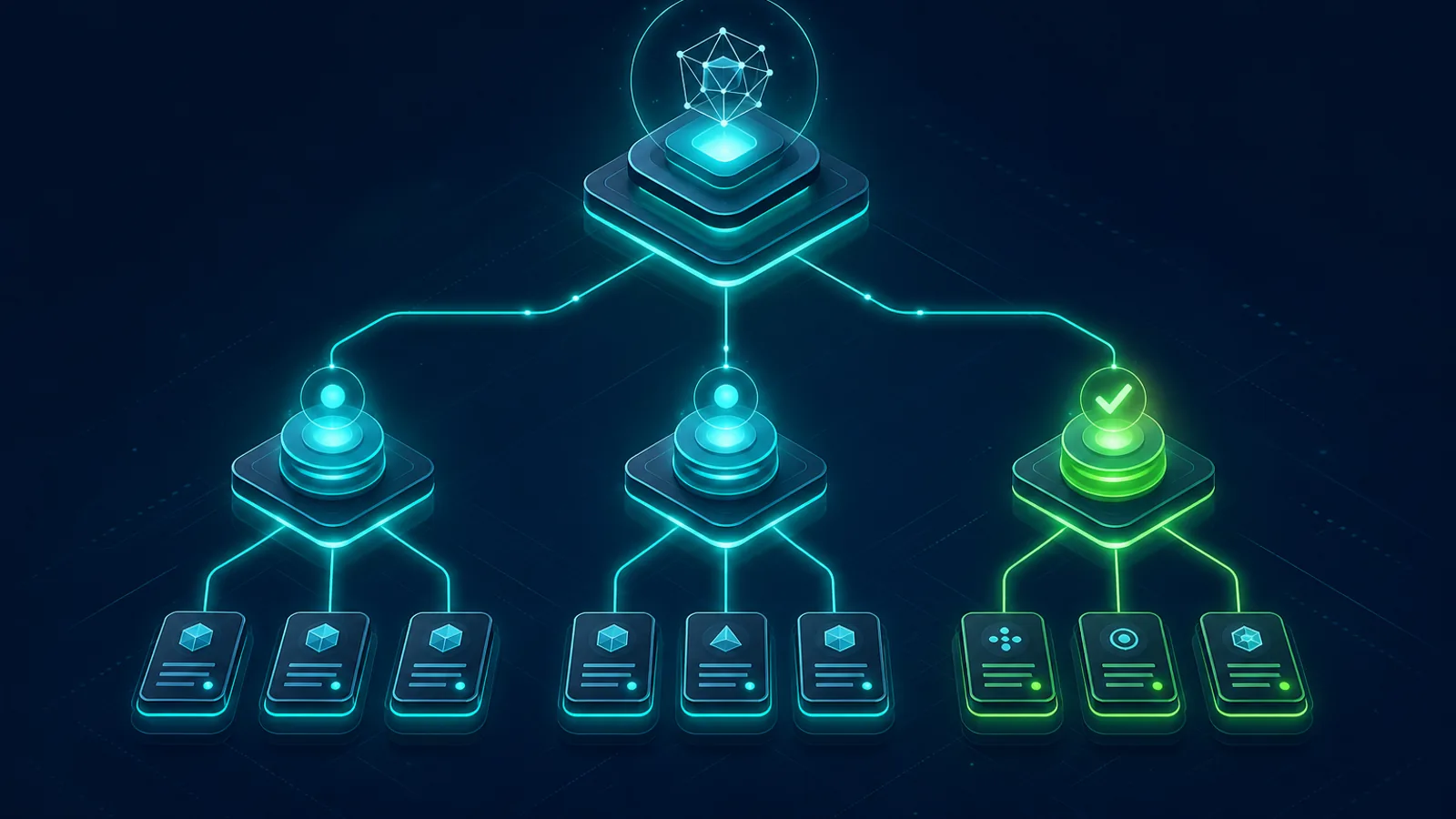
Stages are not required. Many teams run agents as a synced team: assign, work in parallel, fold back, review. When a process needs triage, planning, or finer audit grain, you can enable up to eleven governed stages.
Enable only what that workspace needs. Disabled stages never appear on the run.
Optional. Capture the inputs this role needs, from channels or from upstream agents.
Optional. Classify and gather context before execution when the work is messy.
Specialists produce deliverables in parallel and fold results back to the orchestrator.
Human or AI gates before publish, configured per role and workflow type.
Optional extra structure. Deliver outcomes and improve from completed work.
Use them when a process needs extra structure. Many teams run agents without this.
Gather conversation context in Teams or chat before this agent takes ownership.
Accept the inputs this role needs: email, attachments, webhooks, or handoffs from upstream agents.
Classify work against the workspace taxonomy and route to the right confidence lane.
Ask structured questions when this agent needs more context before it can execute.
Break work into owned items and delegate to direct reports. No layer skipping.
Produce this role deliverable: document, report, code, ticket, or system action.
Shape raw output into a coherent deliverable ready for review or downstream handoff.
Pause for human or AI approval before anything material leaves this agent.
Deliver results to SharePoint, Jira, email, or the next agent in the chain.
Capture corrections and patterns so this role improves. Governed, never silent.
Close this agent run with retained evidence and the full handoff lineage.
Workspaces mirror your internal organisation, customer boundaries, product lines, business units, or process domains. Within each workspace, role agents are bound to specific accountability: which tools they use, which review path applies, and which workflow types they handle.
Product
Workspaces, hierarchy, triggers, and live mission status. See every interface on the product tour.
Configure workspaces, roles, taxonomy, and review paths in a guided session. Days, not years.
Chain of command: orchestrators, specialists, scoped tools, and human accountability gates.
Teams, email, webhooks, and schedules. Every intake path reaches the orchestrator first.
Live mission status: who is working, who is waiting on reports, and what just folded back.
Book a session tailored to your processes, roles, and review requirements.